top of page


Articles


The AI Expense Receipt App: How a Simple Power App Kills Expense Report Busywork
A walk through of a Power Apps receipt scanner built to use AI to make capturing receipts and sharing them with HR easy.
Aug 6


How to Auto-Sort Email Attachments with Power Automate and AI
Automatically sort those messy email attachments with the help of Power Automate, AI Prompts, and Copilot. An easy way to sprinkle in the some AI to your business.
Jun 1


Import Excel Data to SharePoint List with Power Apps and Power Automate
Learn how to import Excel data directly into SharePoint lists using Power Apps and Power Automate.
Feb 23


No round() in Power Automate? Here's What to Do Instead (Plus Advanced Math via MathJS)
If you’ve ever tried to round numbers in Power Automate, you’ve probably discovered something annoying: there’s no built-in Power Automate rounding function. That’s right. You can’t just do: round(3.14159, 2) …because it doesn’t exist. But don’t worry - there are workarounds. And suppose you’re looking to go even deeper with math operations (logarithms, powers, roots, algebra). In that case, there’s a powerful solution using the open-source MathJS library included in thi
Aug 20, 2025

Building a Vacation Request App in Power Apps, Approvals without Flow
In this blog post, we're going to do a high-level overview of Shane’s Vacation Request app. By understanding why he built the app the way he did, it will help to piece everything together. If you would like a step-by-step breakdown, make sure to check out the video below: Understand The Functionality Used First off, and this is important, many of the things you will learn in the video can be applied to all different kinds of apps, which I think gets lost sometimes. So try t
Aug 15, 2025


Add Microsoft Forms attachments to SharePoint list attachments via Power Automate
This blog post is about a reliable technique to capture attachments from Forms and add them to a SharePoint list by using Microsoft Power Automate.
Jul 15, 2025


Filtering SharePoint Data with oData Queries in Power Automate
Learn how to filter your SharePoint data with oData in Power Automate.
Mar 3, 2025


6 Apps & Flows That Run Our Business
Power Apps and Power Automate Examples from the apps we use to actually run our company. Need ideas? this is your post.
Jan 7, 2025


Archive SharePoint List Items with Power Automate
Archiving SharePoint is important for app performance, learn how to do it with Power Automate!
Oct 7, 2024


Power Automate vs. Zapier
Chances are, before arriving at this article, you’ve pondered how automating some of your daily work could free up your time at the office. If that’s the case, you’ve most likely heard about services like Power Automate and Zapier—top contenders in the cloud automation field. But what’s the difference, and which one is most likely to meet your needs? In one corner, we have the amazing Power Automate, and in the other, we have Zapier. With these two in the ring, let’s see whi
Jun 13, 2024


How to Use Power Automate to Create a Link to ActiveCampaign
I didn’t know how to build a custom connector using the HTTP step in Power Automate, I wanted to see an example of what someone had already done. Unfortunately, I couldn’t find where someone had bridged that chasm before. Fortunately, I had the encouragement from Shane Young that I could do it, and examples from so many others, that I didn’t give up! I want to encourage you that you can do it, too, and I want to share with you an example of an HTTP connection to ActiveCampai
May 6, 2024


Unlocking SharePoint REST API with Power Automate
Learn how to get started with the SharePoint API the easy way via Power Automate. Create sites, lists, and more!
Apr 29, 2024


Send NotificationsV2 to Phones, Tablets, & Watches with Power Apps
Often to get the most out of our business solutions we create with Power Apps we want to tell the user we need them to do something. The most common way is with an Outlook email or a Teams message. But did you know there is another way? You can send true Mobile style notifications for your Power Apps by creating a quick little flow. These notifications can be sent to your Mobile phone, your Tablet, or even your Smart Watch. Power Apps Send Notificationv2 To send these notific
Apr 1, 2024


Intro to Power of APIs in Power Apps and Power Automate
Are you ready to take your Power Apps and Power Automate projects to the next level? APIs (Application Programming Interfaces) are your secret weapon, seamlessly integrating with various services like SharePoint, Outlook, Dataverse, and more. But if you're new to the world of APIs, fear not! This beginner's guide is designed to demystify APIs and show you how to harness their power in your low-code applications. What is an API? At its core, an API is a structured way to commu
Mar 4, 2024


Using AI Builder with Power Automate
I recently experienced the excitement of using data captured from AI models from AI Builder in a Power Automate cloud flow. To get this kind of functionality in the past I used Power Automate Desktop, which worked, but it felt a little clunky to wire together. Though it’s probably been available for quite a while, I just discovered that by using the capability baked into AI models that are available in AI Builder , you can bypass Power Automate Desktop with a very smooth t
Jan 17, 2024


Simple solution to calculate the next 5 working days with Power Automate and SharePoint
We recently had a problem where a customer needed to know whether a given date fell within the next five working days. After going through some wranglings with Power Automate formulas, we came upon a much simpler solution based on a SharePoint list of workdays. To set things up, we created a simple SharePoint list of two columns: Date (date only) Workday (Y/N) Updating our SharePoint list, we added the calendar days and marked them with a check (signifying 'Y') if on a workda
Dec 29, 2023


UPLOADING FILES TO SHAREPOINT WITH THE NEW POWERAPPS V2 CONNECTOR
Learn to upload files to SharePoint using Power Apps and Power Automate
Dec 14, 2023


Automate your SharePoint Follow-ups with Power Automate
This guide accompanies Shane’s video which walks through how he solved some real-life problems at PowerApps911 by automating reports and rem
Jan 10, 2023
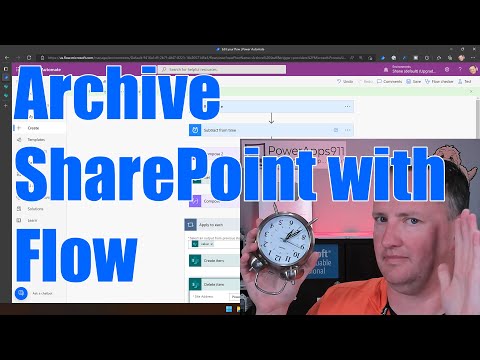
Power Automate Archive SharePoint List Item
Learn how to use a Recurrence flow that gets all of the items from SharePoint that need archived based on their date. Then create a copy of the item and delete the item. Power Automate Archive SharePoint List Item uses an oData query against the date to find old items and passes it to an apply to each loop. Also, the date to archive from is auto calculated using the utcNow expressions and subtracting days from the returned date. Click the video below and get started! Link to
Dec 9, 2022


Power Apps and Power Automate: Send emails from anyone
Learn how sending emails via SharePoint gives more control to set the email To's title and have replies go to that user automatically.
Jun 13, 2022
bottom of page