

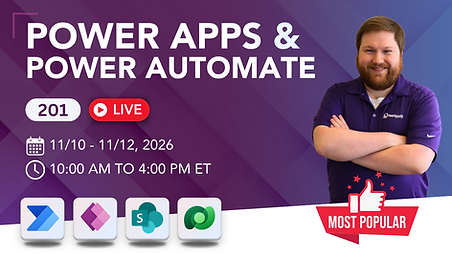
Power Apps and Power Automate 201
November 2026 Live!
Transform your fragmented Power Apps and Power Automate skills into solid skills with this course. You know your business processes inside and out, let us help you with Power Apps and Power Automate.
Do you want to get better at Power Platform? Are you looking for a live training class on Power Apps and Power Automate? Then check this out! Steven Farris is going to be teaching his popular on demand class live November 10 - 12, 2026. This will be a 3-day, 6 hour a day class, that will help you take your Power Apps and Power Automate skills from MEH to Marvelous!
What You Will Learn
This two-day course offers a comprehensive introduction to Power Apps canvas apps and Power Automate cloud flows. Through engaging, hands-on sessions, we’ll explore the platform’s key features, focusing on “planting seeds” and “teaching you to fish.” While full mastery takes time, this course will equip you with the tools and knowledge to confidently solve problems and navigate the platform on your own.

Patching vs. Forms
Searching, Filtering, and Delegation
Outlook Emails, Teams Chats, and other notifications
Building on SharePoint, Dataverse, and SQL
Review the curriculum below for more details
Troubleshooting
Creating PDFs and saving files
Differences between Canvas apps and Model-driven
New! AI Builder and ChatGPT 🤖 for Power Platform
For Employers
Do your employees understand your business processes but struggle to turn them into effective Power Platform solutions? Power Apps and Power Automate 201 provides the practical skills needed to build reliable apps, automate workflows, and deliver business value faster.

Empower your team to build and maintain business applications and automated workflows without relying solely on traditional development resources.
Improve solution quality by teaching proven techniques for data integration, app design, automation, and performance optimization.
Establish a consistent foundation across your organization so multiple team members can confidently support and expand your Power Platform initiatives.
Class Requirements
Some students come to class with little to no knowledge, while others have been building apps for a while and want to solidify their understanding. Both groups are awesome!
If you're new to the platform, we recommend watching our free Power Platform 101 course before the first class. It will help solidify your foundational knowledge, allowing you to ask better questions as we go.

A desire to learn!
An account to use Power Apps
An account to use Power Automate
The ability to join a Teams meeting
Meet Your Instructor

Steven Farris
Power Apps MVP
Steven Farris graduated with a Bachelor of Science from Tennessee Technological University while already interning in Information Technology at a large scale construction company in Nashville, TN. He was then hired on full time as an IT Service Technician, and in that time, Steven started working with Power Apps, Power Automate, Power BI, SharePoint Online, and the Microsoft Office suite. He was soon promoted to Systems Administrator where he dove even deeper into the Power Platform, developed several Power Apps and Flows, led training classes, and managed a lot of administration and governance as well. As a Systems Administrator, he also designed and implemented SharePoint online and OneDrive to help the company achieve ISO 9001 compliance. When Steven is not working, he is usually playing video games, board games, or Dungeons & Dragons with friends and family.
Pricing & Registration
Investment:
950
$
Your enrollment includes:
-
Monthly Group Office Hours
-
YouTube Library and Downloads
-
Revisit any lesson as many times as you like
-
68-page Hands-On-Lab
-
Certificate of Completion